
Affiliate Disclosure: This article may contain affiliate links. If you purchase through these links, we may earn a commission at no additional cost to you.
Click here and visit now-
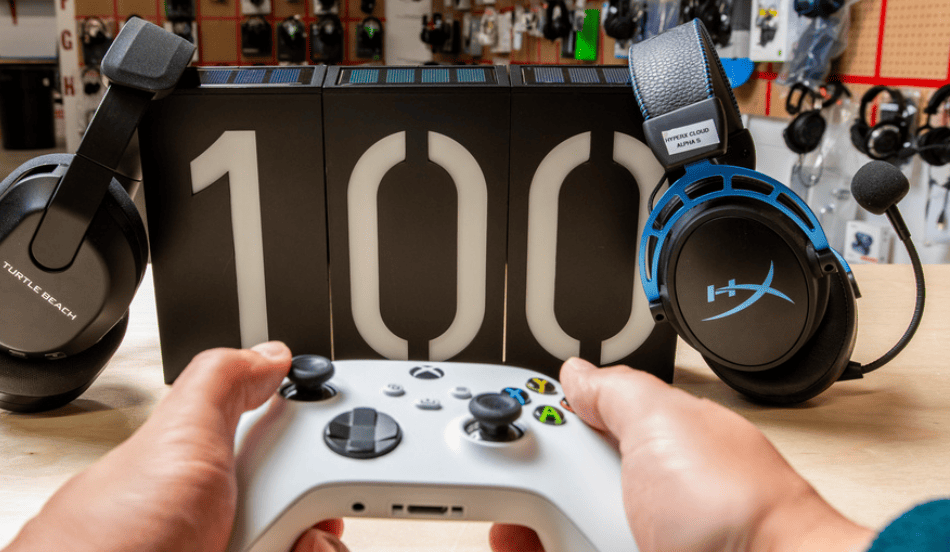
A good gaming headset can make a bigger difference to your gaming experience than you might expect. Whether you enjoy competitive multiplayer games, open-world adventures, racing simulators or casual gaming with friends, clear audio helps you stay connected to what’s happening on screen.
You do not necessarily need to spend $200 or more to enjoy a comfortable headset with good sound and a usable microphone. The best gaming headsets under $100 can offer impressive value, particularly if you understand which features matter and where manufacturers make compromises to keep prices affordable.
The challenge is choosing the right one. Some affordable headsets prioritise sound quality, others focus on microphone performance, and some offer wireless connectivity without requiring a premium budget. A headset that works perfectly for PC gaming may also have limitations when connected to a console.
This guide explores some of the strongest options in the under-$100 category, including wired and wireless models. We will also explain what to look for, how to compare features and which type of headset makes the most sense for different gaming styles.
Prices and availability vary by retailer, region and promotional offers. The recommendations below are based on product positioning and available independent reviews, not claims of personal hands-on testing.
What to Expect From a Gaming Headset Under $100
The under-$100 category is an interesting part of the gaming audio market. It offers enough room for manufacturers to include useful features without moving into expensive enthusiast territory.
Depending on the model, you may find:
- Comfortable over-ear ear cushions.
- Adjustable headbands.
- Built-in or detachable boom microphones.
- Wired 3.5mm or USB connections.
- Wireless 2.4GHz connectivity.
- Bluetooth support on selected models.
- Software-based equaliser settings.
- Virtual surround or spatial audio features.
- On-headset volume and microphone controls.
However, not every headset offers all these features. Some models prioritise a reliable wired connection, while others spend more of their budget on wireless technology and battery life.
You should also keep expectations realistic. A headset under $100 may not provide the microphone refinement, premium materials or advanced noise cancellation found in expensive models. That does not mean it cannot deliver a satisfying gaming experience.
The best purchase is the one that performs well in the areas you actually need.
1. Best Overall: Turtle Beach Stealth 600 Gen 3
The Turtle Beach Stealth 600 Gen 3 is a strong option for gamers who want wireless convenience without moving into a premium price category.
Its main attraction is connectivity. The headset supports low-latency wireless gaming through a USB transmitter and also includes Bluetooth, making it useful for people who want to switch between gaming and other audio activities.
Why consider it?
- Wireless connectivity for a cleaner gaming setup.
- Bluetooth support for compatible devices.
- Flip-up microphone design.
- Long claimed battery life.
- Adjustable sound through supported software and presets.
- Multiple platform-specific versions.
One particularly useful feature is its dual-wireless approach. A low-latency gaming connection is generally preferable to ordinary Bluetooth for fast-paced games because standard Bluetooth audio can introduce noticeable delay.
The manufacturer advertises battery life of up to 80 hours or more depending on the specific version and usage conditions. Actual battery performance varies with settings, volume and wireless use.
Potential drawbacks
The headset is not designed to be a simple wired fallback if the battery runs out. You should also check which version you are purchasing because PlayStation and Xbox compatibility can differ.
Its sound profile may appeal to gamers who enjoy stronger bass, although some users may prefer a more balanced presentation.
Best for: Gamers who want wireless freedom, Bluetooth flexibility and long battery life.
2. Best Wired Option: GLORIOUS GHS Eternal RGB
If you do not need wireless connectivity, the GLORIOUS GHS Eternal RGB is worth considering.
A wired headset has one major advantage: you do not need to monitor battery levels or remember to recharge it after a long gaming session. It also avoids the additional complexity of wireless transmitters and battery management.
The GLORIOUS model stands out for its suspension-style headband, which is designed to distribute pressure more evenly across the top of your head.
Key advantages
- Wired connection without battery requirements.
- Comfortable suspension-style headband.
- Boom microphone for multiplayer communication.
- USB and analogue connection options.
- RGB lighting for gamers who prefer a coordinated setup.
- Relatively sturdy construction for its category.
The microphone is an important part of the package. In multiplayer games, your teammates need to understand your callouts clearly. A headset with decent voice recording can be more useful than one with decorative features that do little to improve communication.
Potential drawbacks
The wired design restricts movement compared with a wireless headset. Its sound signature also leans towards stronger bass, which may not suit listeners looking for a neutral audio profile.
Best for: PC and console gamers who prioritise comfort, reliable connectivity and voice chat over wireless freedom.
3. Best Lightweight Budget Option: Razer BlackShark V2 X
A lightweight headset can be especially useful if you spend several hours gaming in one sitting.
The Razer BlackShark V2 X is a wired gaming headset that focuses on a relatively simple design, lightweight construction and gaming-oriented sound.
Its design is less focused on flashy features and more focused on providing a straightforward headset for everyday gaming.
Why it is worth considering
- Lightweight construction.
- Over-ear design.
- Wired 3.5mm connection.
- Flexible boom microphone.
- Gaming-focused sound tuning.
- Compatibility with devices that support the appropriate analogue connection.
The 3.5mm connection is useful because it can work with many PCs, laptops, controllers and handheld gaming devices. However, some desktop PCs require a separate splitter if the microphone and headphone connections are located on different ports.
The headset is particularly suitable for gamers who want to keep their setup simple.
Potential drawbacks
It does not offer the wireless convenience or extensive software features of some competing models. Its analogue connection also means the final audio experience can depend on the quality of the device’s headphone output.
Best for: Budget-conscious gamers who prefer a lightweight, straightforward wired headset.
4. Best All-Round Wired Alternative: HyperX Cloud III
The HyperX Cloud III is another strong choice for gamers who prefer wired audio and a more substantial headset design.
Its combination of memory foam ear cushions, a sturdy frame and a detachable microphone makes it attractive for regular gaming.
Notable features
- Large angled drivers.
- Memory foam ear cushions.
- Durable metal frame elements.
- Detachable microphone.
- USB and analogue connection options, depending on the package.
- PC-oriented spatial audio support.
Comfort is one of the biggest reasons to consider this headset. A headset may sound excellent during a short test but become uncomfortable after several hours. Soft ear cushions and a well-designed headband can make a noticeable difference during longer sessions.
The detachable microphone is also practical. If you want to use the headset for music or general listening, you can remove the microphone when it is not needed.
Potential drawbacks
The headset is wired, so it does not provide the freedom of wireless models. Some of its additional software features are also more useful on PC than on consoles.
Its price can fluctuate, so it is worth checking whether the exact version you want is available below $100.
Best for: Gamers looking for a comfortable wired headset with a detachable microphone and versatile connectivity.
5. Best Open-Back Alternative: Philips SHP9500
Not everyone wants a traditional closed-back gaming headset.
Open-back headphones have a different design that allows air and sound to pass through the ear cups. This can create a more spacious listening experience, which some gamers prefer for environmental audio, dialogue and general entertainment.
The Philips SHP9500 is an example of an open-back headphone that can be used for gaming, although it is not a conventional gaming headset with an integrated boom microphone.
Advantages
- Spacious sound presentation.
- Comfortable lightweight design.
- Wired connection.
- Useful for music and general listening.
- No battery or charging requirements.
Important limitations
Open-back headphones do not isolate external noise effectively. People around you may also hear some of the audio.
You will need a separate microphone if you want to communicate with teammates. This adds to the total cost and makes the setup less convenient than an all-in-one gaming headset.
Best for: Gamers who prioritise a spacious listening experience and already have a separate microphone.
Wired vs Wireless Gaming Headsets
One of the biggest decisions when buying a gaming headset is choosing between wired and wireless connectivity.
Neither option is automatically better. The right choice depends on your gaming environment, preferred platform and willingness to manage charging.
| Feature | Wired Headsets | Wireless Headsets |
|---|---|---|
| Charging | Not required | Required |
| Movement | Limited by cable length | Greater freedom |
| Latency | Generally very low | Depends on connection technology |
| Setup | Usually straightforward | May require a transmitter or pairing |
| Battery concerns | None | Battery life matters |
| Portability | Cable can be inconvenient | Often easier without cables |
| Typical value | More features for the price | Wireless hardware adds cost |
Choose wired if:
- You mostly play at a desk.
- You want a simple plug-and-play setup.
- You do not want to worry about charging.
- You want to maximise audio and microphone value within a limited budget.
Choose wireless if:
- You move around while gaming.
- You dislike cables across your desk.
- You use the headset with multiple compatible devices.
- You want to switch between gaming and general audio use.
For competitive gaming, check whether a wireless headset uses a dedicated 2.4GHz gaming transmitter. Standard Bluetooth is convenient, but it is not always ideal for fast-paced games where audio delay matters.
What Features Matter Most When Buying a Gaming Headset?
A headset’s specification sheet can look impressive, but some features matter much more than others.
Instead of focusing on marketing terms, evaluate how the headset will perform during actual gaming sessions.
Sound Quality and Directional Audio
Good gaming audio is not just about loud explosions or heavy bass.
In competitive shooters, being able to recognise footsteps, distant gunfire and environmental movement can help you understand what is happening around you.
For adventure and racing games, you may care more about atmosphere, dialogue and immersive sound effects.
Look for a headset with a balanced sound presentation. Excessive bass can make action scenes exciting, but it can sometimes overpower quieter audio details.
You should also understand the difference between stereo and virtual surround sound.
Stereo audio uses two main channels and can still provide useful directional information. Virtual surround technologies attempt to simulate a more spatial experience through processing.
Do not assume that a headset advertised with 7.1 surround sound will automatically provide better positional accuracy. Sound tuning and software implementation matter more than the marketing label.
Microphone Quality and Noise Handling
If you play multiplayer games, microphone quality deserves as much attention as headphone sound.
A poor microphone can make communication frustrating, particularly when teammates need to understand quick instructions.
Look for:
- A boom microphone positioned close to your mouth.
- Clear voice reproduction.
- Effective handling of background noise.
- A convenient mute control.
- A detachable or retractable design if preferred.
Some headsets include flip-up microphones that automatically mute when raised. This can be convenient when you need to speak to someone in the room.
If you regularly stream or record content, you may eventually want a dedicated microphone. However, a good headset microphone is often sufficient for ordinary multiplayer communication.
Comfort, Weight and Build Quality
Comfort is one of the easiest specifications to overlook.
A headset can have excellent sound but still become frustrating if it creates pressure around your ears or on the top of your head.
Pay attention to:
- Ear cushion material.
- Headband padding.
- Adjustable fit.
- Overall weight.
- Clamping pressure.
- Space around the ears.
- Breathability of the ear cushions.
People who wear glasses should pay particular attention to clamping pressure and ear cushion design. A headset that feels comfortable without glasses may become uncomfortable after an extended session.
Build quality is equally important. Check the headband, hinges, cable connections and microphone attachment points. These areas often experience the most wear.
Connectivity and Platform Compatibility
Before purchasing, check whether the headset supports your gaming device.
A 3.5mm wired headset may work with many controllers, laptops and handheld devices, but USB features may be limited on some consoles.
Wireless headsets require even more attention.
For example:
- PC compatibility may depend on USB ports, drivers and software.
- PlayStation compatibility varies by wireless model.
- Xbox compatibility can require a specific Xbox-supported version or wireless protocol.
- Nintendo Switch compatibility depends on the connection method and system configuration.
- Mobile devices may require USB-C, Bluetooth or an appropriate adapter.
Never assume that a headset works with every platform simply because the packaging says it is designed for gaming.
Which Gaming Headset Should You Choose?
The right option depends on what you value most.
| Your priority | Headset to consider | Why |
|---|---|---|
| Wireless convenience | Turtle Beach Stealth 600 Gen 3 | Dedicated wireless and Bluetooth options |
| Wired comfort | GLORIOUS GHS Eternal RGB | Suspension headband and wired connectivity |
| Lightweight design | Razer BlackShark V2 X | Simple, lightweight wired construction |
| All-round wired use | HyperX Cloud III | Comfortable design and detachable microphone |
| Spacious audio | Philips SHP9500 | Open-back listening experience |
If you are unsure, start by deciding whether you actually need wireless connectivity. Many gamers spend most of their time at a desk, where a good wired headset can offer excellent value.
If you play on multiple devices, check compatibility before comparing cosmetic features or advertised driver sizes.
Common Mistakes to Avoid When Buying a Budget Gaming Headset
Buying an affordable gaming headset should be straightforward, but there are a few common mistakes that can lead to disappointment.
1. Choosing based only on RGB lighting
RGB lighting can look attractive, but it does not improve sound quality, microphone clarity or comfort. Prioritise performance features first.
2. Ignoring platform compatibility
A headset that works with one console may not support another. Always check the exact model and version before ordering.
3. Assuming bigger drivers mean better sound
Driver diameter alone does not determine audio quality. Tuning, design and implementation are equally important.
4. Buying wireless without checking latency
Not all wireless connections are equally suitable for gaming. Look for a dedicated low-latency gaming connection when responsiveness matters.
5. Overlooking microphone performance
A headset is often used for both listening and communication. Read microphone-focused reviews rather than judging the product only by its audio specifications.
6. Ignoring comfort
Check the weight, cushion material and fit. If possible, try the headset before purchasing, especially if you wear glasses.
7. Paying extra for features you will never use
You may not need virtual surround software, RGB lighting or Bluetooth if you only play casual games on a desktop. Spend your budget on the features that matter to your routine.
Conclusion
Finding the best gaming headsets under $100 is about balancing sound quality, microphone performance, comfort and compatibility.
The Turtle Beach Stealth 600 Gen 3 is worth considering if you want wireless convenience. The GLORIOUS GHS Eternal RGB and HyperX Cloud III are strong wired alternatives, while the Razer BlackShark V2 X offers a simpler lightweight design. If you prefer a spacious open-back listening experience and already own a microphone, the Philips SHP9500 is another option.
Before making a purchase, check the current price, exact platform compatibility, warranty and independent microphone and comfort reviews.
Most importantly, do not spend extra money on features you are unlikely to use. A comfortable headset with clear sound and a reliable microphone will usually be more valuable than a flashy product with a long list of unnecessary specifications.
Frequently Asked Questions
1. Are gaming headsets under $100 good enough for competitive gaming?
Yes. Many gaming headsets under $100 offer clear stereo audio, useful directional cues and microphones suitable for multiplayer communication. The key is choosing a model with good sound tuning and a comfortable fit rather than relying on marketing claims.
2. Is a wired or wireless gaming headset better?
Wired headsets are generally simpler, do not require charging and can offer excellent value. Wireless headsets provide greater freedom of movement but require battery management. For competitive